Nutanix Terminology

Nutanix HCI

Physical Infrastructure

A Nutanix cluster is made up of Nodes and Blocks.

../_images/nutanix_terminology_01.png
../_images/nutanix_terminology_20.png

Storage Pools and Containers

Nutanix presents the physical disks as one Storage Pool, that can be divided into one or more Containers.

../_images/nutanix_terminology_02.png

Nutanix Storage

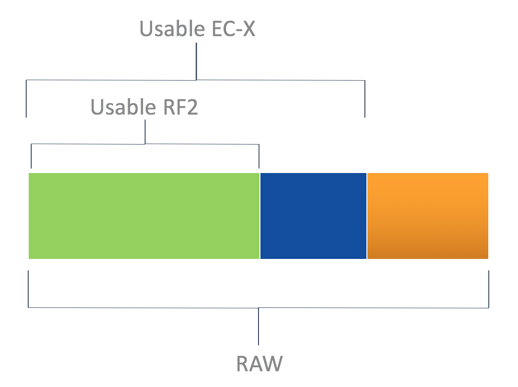
Tunable Redundancy

What is it?

  • Configure different levels of fault tolerance for different applications dynamically
  • Works with EC-X for capacity savings

Points of differentiation:

  • Software-defined. No prior understanding of storage required
  • RF-3 offers protection against two simultaneous disk, node and NIC failures
  • Switch between RF-2 and RF-3
  • Replication set at the container level
../_images/nutanix_terminology_03.png

Nutanix EC-X (Erasure Coding)

  • No overhead to the active write path
  • Background job
  • Only cold data is subject to EC-X
  • Lower rebuild times (equal or better than RF2)
  • Patent pending algorithm
../_images/nutanix_terminology_04.png

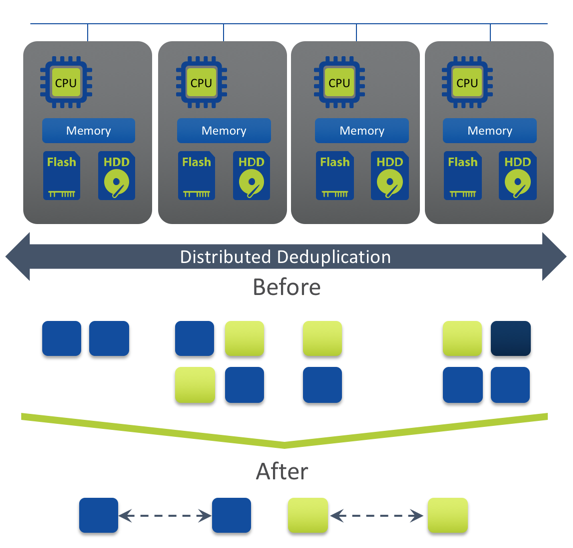
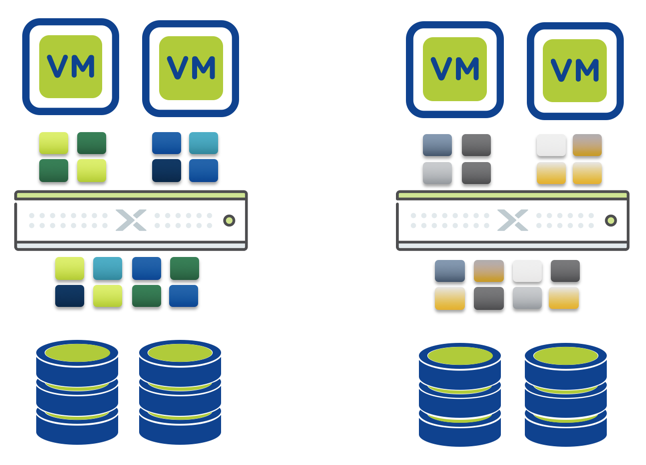
Deduplication

  • Inline fingerprinting with post-process deduplication
  • Distributed across all nodes – true scale-out
  • Global deduplication across entire cluster
  • SHA-1 fingerprinting offloaded to Intel processors for greater efficiency
  • 100% software-defined
  • Strong hash allows dedupe to happen based on metadata match
../_images/nutanix_terminology_05.png

Compression

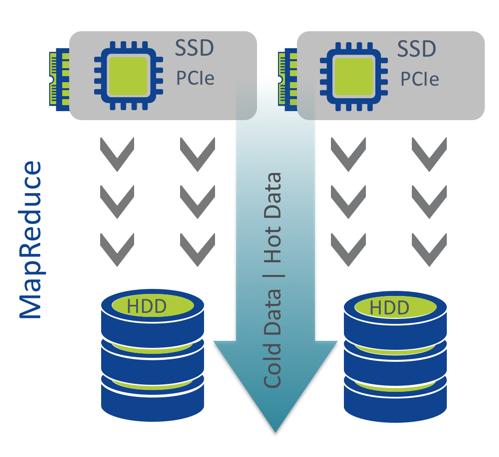
  • Inline and post-process compression
  • Inline: Data compressed as it’s written
  • MapReduce: Data compressed after “cold” data is migrated to lower-performance storage tiers
  • No impact to normal IO path
  • Ideal for random batch workloads
  • Uses LZH4c algorithm (AOS 5+)

Data Locality

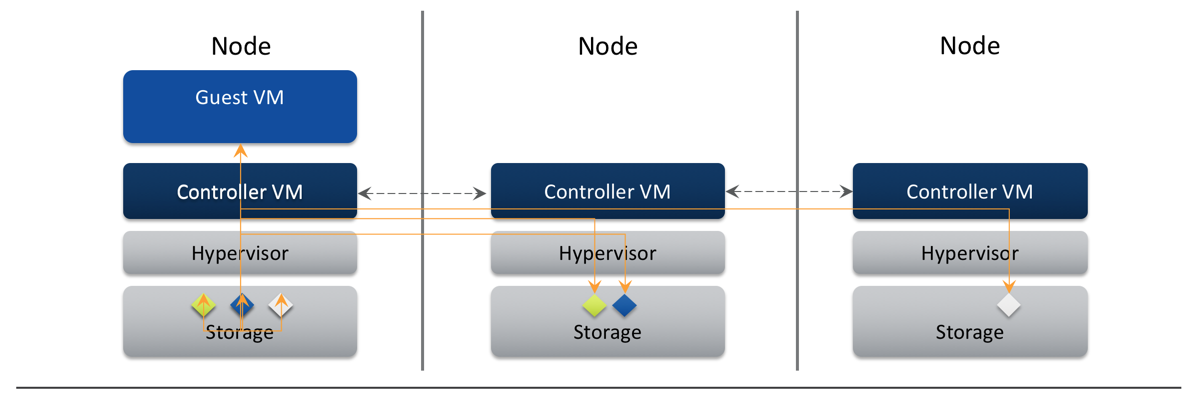
  • Keep data on the same node as VM
  • All read operations localized on same node
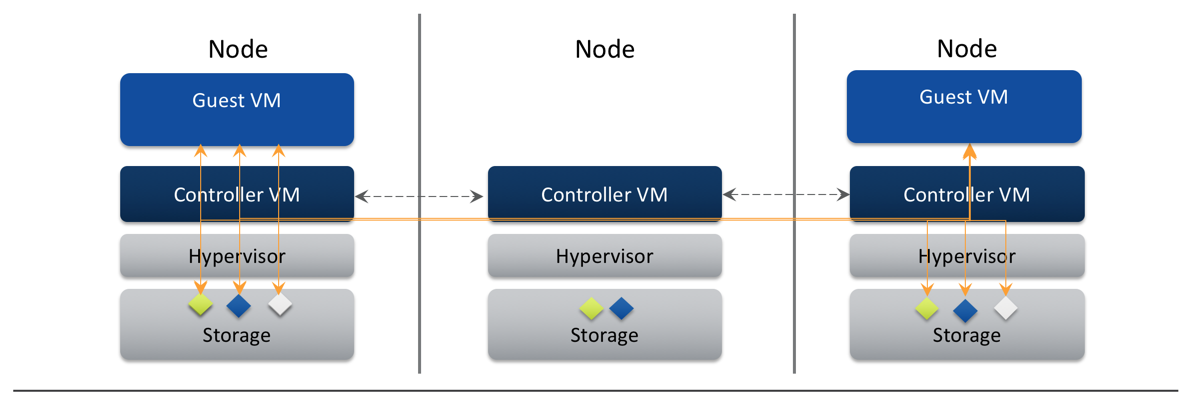
  • ILM transparently moves remote data to local controller
  • Reduces network chattiness significantly
  • Data follows VM during vMotion/Live Migration
../_images/nutanix_terminology_06.png

Intelligent Tiering

Automatic Performance Optimization

  • Leverage multiple tiers of storage
  • Continuously monitors data access patterns
  • Optimally places data for best performance
  • No user intervention required

Hot Data - SSD

  • Random data
  • Persistent tier
  • Maximum performance

Cold Data - HDD

  • Sequential data
  • Highest capacity
  • Most economical
../_images/nutanix_terminology_07.png

CVM Auto-Pathing

What is it?

  • Continue to access data through CVM failures
  • Hypervisor routing is updated automatically to use another CVM

Benefits

  • High availability during software upgrades and failures
../_images/nutanix_terminology_10.png

vMotion/DRS or Live Migration

Seamless VM Migration

  • Metadata service can access data from anywhere
  • Locality improves over time
../_images/nutanix_terminology_11.png

Nutanix VM Mobility

Acropolis Dynamic Scheduling (ADS)

  • Automatic Detection, and remediation of CPU and storage hot-spots
  • Initial VM Placement
  • Following anomalies are detected:
    • CPU hot spots
    • Storage controller hot spots
    • Affinity rule violation
  • If anomalies are found, re-mediation by:
    • Live migration of VMs
    • ABS iSCSI session re-direction
../_images/nutanix_terminology_12.png

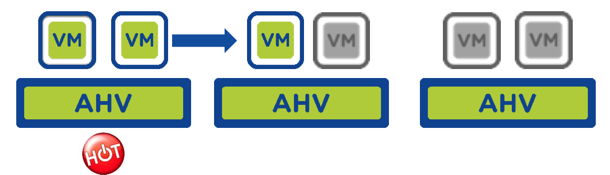
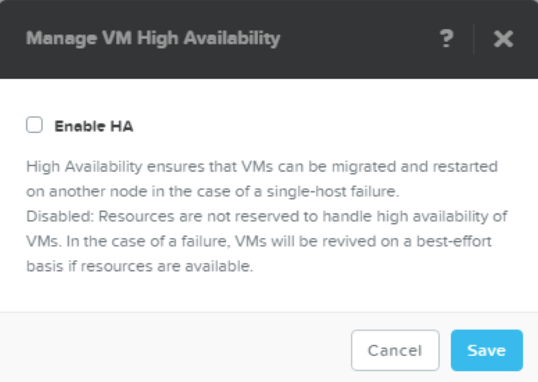
Host High Availability

What it does

  • Auto restart user VMs after host failure
  • Policy enabled through Prism
  • AHV picks the best admission control policy:
    • Reserved segments (default)
    • Reserved host

Benefits

  • Always-on VMs
  • Reduced administrative overhead
../_images/nutanix_terminology_13.png

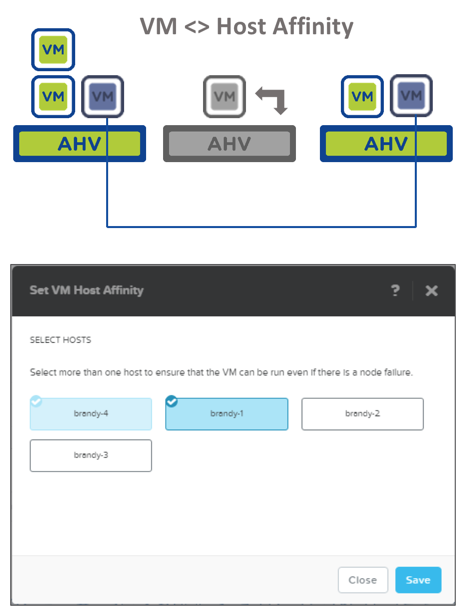
Affinity Rules - Host

VM-Host Affinity:

  • Place and always keep a powered ON VM on selected group of hosts

Use Cases:

  • SW License Compliance
  • Security / Governance
  • Hardware Segmentation

“Must” rule - never violated by:

  • Initial placement
  • HA
  • Host maintenance mode
  • ADS
  • Manual live migration
../_images/nutanix_terminology_14.png

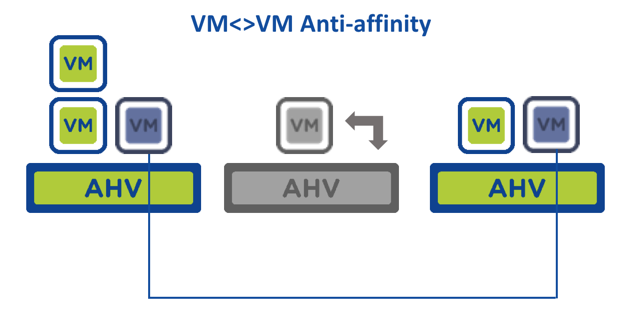
Affinity Rules - VM

VM-VM Anti-affinity:

  • Place and always keep a group of powered ON VMs on different hosts.

Use Cases:

  • VM HA fault domain separation (e.g. SQL cluster)
  • Manual Hot Spot avoidance

“Should” rule – best effort but can be violated.

../_images/nutanix_terminology_15.png

Nutanix Networking

AHV – Software Defined Networking

Fully distributed networking, based on open standards, simplifies deployment and ensures configuration consistency.

  • Based on Open vSwitch
  • Fully distributed to all nodes
  • Virtual Networks w/vLANs
  • IP Address Management (DHCP)
  • Bond / Link Aggregation
    • Active / Backup
    • Source-NIC Load Balancing
    • LACP
  • Each bridge has a bond, backed by one or more uplinks
../_images/nutanix_terminology_16.png

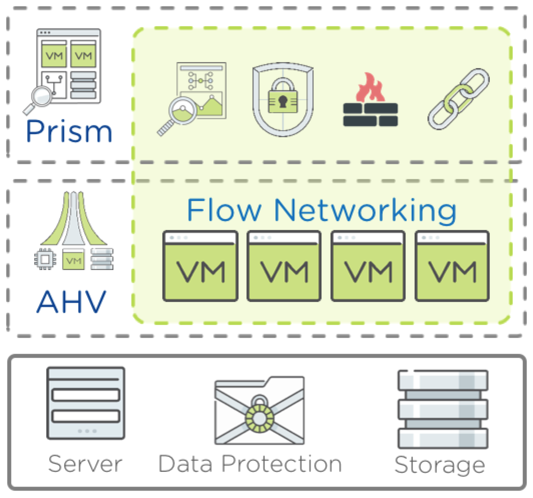
Flow (Microsegmentation)

Regain Visibility and Control Inside Your Datacenter

  • All networking native in AHV (nothing to install)
  • Logical grouping via Categories in Prism Central
    • Categories group VM or Applications
  • Security policies map to categories
    • Management of category membership simplifies process
  • Rules pushed from PC -> CVM -> AHV -> OVS
    • AHV host OVS enforces rules
  • Rules logical enforced at VM (vNIC) level
    • Firewall in front of every VM
../_images/nutanix_terminology_17.png

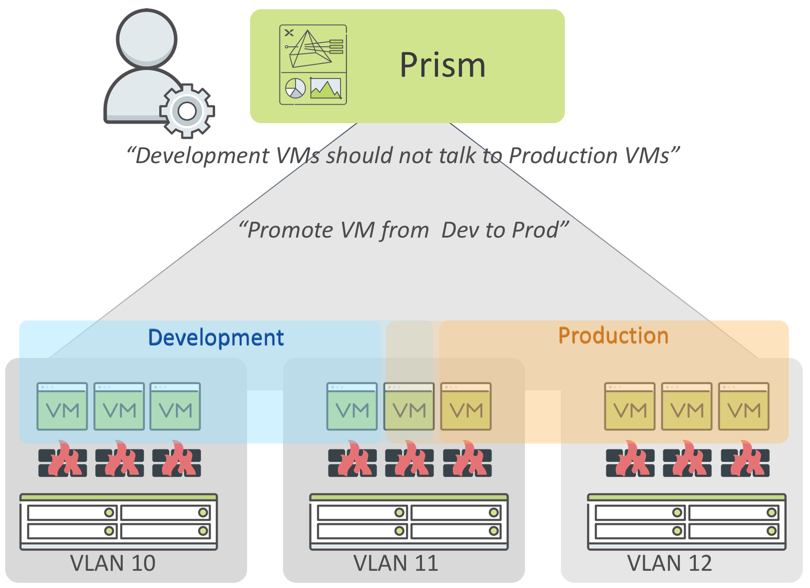
Flow Scenario – Environment Zoning with Isolation

  • Isolating environments simplified through one-click policies.
  • Predefined categories for environment-type makes policy writing easy - simply add VMs to the desired category
  • Moving workloads across environments is simply swapping the categories from Dev to Prod
../_images/nutanix_terminology_18.png

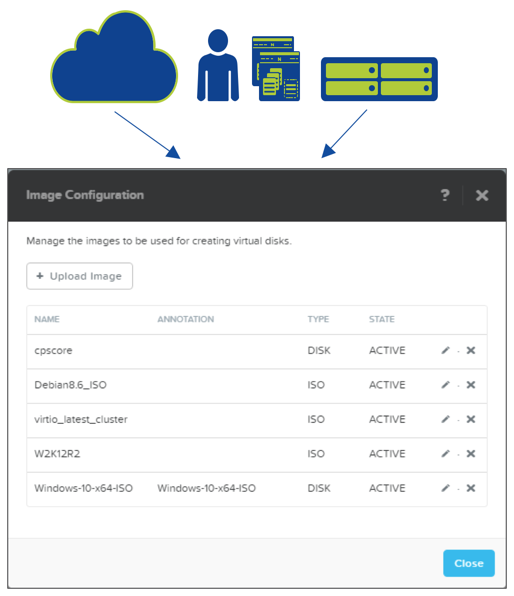
Nutanix Image Management

Image service

  • Managed catalog of disk images (RAW & ISO)
  • Leverage existing images with AHV
  • Image management through PE or PC
  • Inline conversion to Acropolis DSF
  • Broad Format support:
    • qcow
    • qcow2
    • vmdk
    • VHD
    • VHDx
    • RAW
    • ISO
../_images/nutanix_terminology_19.png